
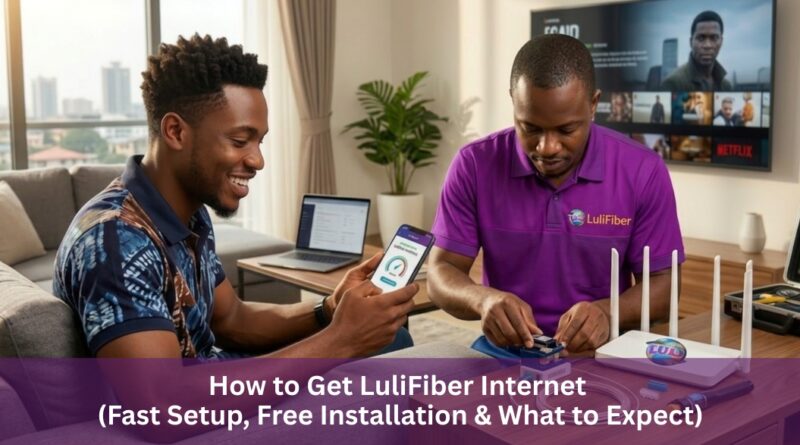
How to Get LuliFiber Internet (Fast Setup, Free Installation & What to Expect)
If you’ve lived in Lagos long enough, you already know one thing: not all internet connections are created equal.
One day your connection is fast and smooth, the next day you’re staring at a loading icon during an important Zoom call, a football match, or even while trying to send a simple file. It’s frustrating, unpredictable, and honestly exhausting, especially if your work, business, or daily routine depends on stable internet.
That’s why more people are now moving toward fiber internet, and one name that keeps coming up in conversations is LuliFiber.
If you’ve been wondering how to get started, whether for your home or office, this guide breaks it down in a simple, practical, no-stress way so you know exactly what to expect.
Why Many Lagos Residents Are Switching to Fiber
Before we go into the steps, it’s important to understand why fiber internet is getting so much attention.
Unlike traditional wireless connections, fiber is built to deliver:
-
More stable speeds
-
Better performance during peak hours
-
Lower latency for calls and gaming
-
Ability to handle multiple devices at once
In a city like Lagos where everything is fast-paced from business to entertainment, having a reliable connection is no longer a luxury. It’s a necessity.
Step 1: Check If Your Area Is Covered
This is the most important first step.
Fiber internet isn’t available everywhere yet, so you need to confirm if your location falls within LuliFiber’s coverage area.
The good thing is, you don’t need to guess. You can quickly confirm by reaching out to their customer support through any of the following:
-
02085914555 (call)
-
02016402510 (call)
-
WhatsApp: 09066515018
-
Website or Google search (LuliFiber)
If you want a fast response, WhatsApp or a direct call usually works best. Within a short time, you’ll know whether your area is eligible.
Step 2: Get Help Choosing the Right Plan
Once your area is confirmed, the next step is selecting a plan that actually fits your lifestyle or business needs.
This is where many people make mistakes, either choosing a plan that’s too small or paying for more than they need.
LuliFiber’s support team typically helps you decide based on:
-
How many people will be using the internet
-
The number of devices connected
-
Whether you stream, game, or work online
-
Your monthly budget
For example:
-
A small household may need a basic plan
-
A remote worker or content creator may need higher speed
-
An office setup may require more capacity for multiple users
Getting this part right makes a big difference in your overall experience.
Step 3: Registration Made Simple
After choosing your plan, the next step is registration.
This part is straightforward and doesn’t feel complicated. You’ll typically provide:
-
Your name and contact details
-
Your installation address
-
Your selected plan
Once that’s done, your request is processed and moved to the installation stage.
Step 4: Installation – What Actually Happens
Now, this is the part most people are curious about.
After registration, installation is scheduled, usually within 5 to 7 working days depending on your area.
During installation:
-
Fiber cables are connected to your building
-
Necessary devices (like routers) are installed
-
The connection is tested to ensure everything works properly
The technicians usually handle everything, so you don’t need to worry about technical details.
Once they’re done, your internet is ready to use.
Step 5: Your ClientHub Account (Very Important)
After installation, you’ll be given access to your ClientHub account, which is where you manage your subscription.
You can log in here:
👉 https://flowsoft.io/app/login
This platform allows you to:
-
Make payments
-
Renew your subscription
-
Monitor your account
Think of it as your personal control panel for your internet service.
Step 6: Subscription and Ongoing Use
Once everything is set up, using the service becomes straightforward.
You simply:
-
Use your internet daily without interruptions
-
Renew your subscription through ClientHub on the website when due
At this point, the experience becomes less about setup and more about enjoying stable connectivity, whether for work, streaming, gaming, or running a business.
Current Advantage: Free Installation Offer
One thing worth noting right now is that LuliFiber is offering FREE installation.
This is a big deal because installation costs are often one of the barriers that prevent people from switching to fiber.
So if you’ve been considering upgrading your internet, this is actually a good time to make the move.
What You’ll Likely Notice After Installation
While experiences may vary slightly depending on location, many users notice improvements like:
-
Faster and more consistent browsing
-
Smooth video streaming without buffering
-
Better performance during video calls
-
Ability to connect multiple devices without slowdown
In simple terms, your internet just starts working the way it’s supposed to.
Getting reliable internet in Lagos doesn’t have to feel like a gamble anymore.
With a clear process from checking coverage to installation and subscription management, switching to fiber is more accessible than many people think.
If you’re tired of:
-
Slow speeds
-
Unstable connections
-
Constant buffering
-
Interrupted work or meetings
then exploring a fiber option like LuliFiber is definitely worth considering.
It may not solve every single connectivity challenge overnight, but it’s a strong step toward a more stable, faster, and stress-free internet experience.
Thinking of upgrading your internet?
Take the first step today check if your area is covered and see what plan fits your needs best.
A better internet experience might be closer than you think.
