
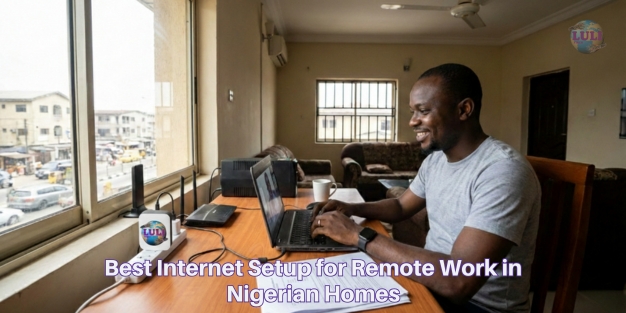
Best Internet Setup for Remote Work in Nigerian Homes
Remote work is no longer a temporary trend in Nigeria, it’s a permanent shift. From software developers and digital marketers to customer support agents, designers, writers, and entrepreneurs, thousands of Nigerians now depend on their home internet connection to earn a living.
Yet, many remote workers still struggle with unstable video calls, slow uploads, Wi-Fi dead zones, and frequent disconnections during power outages. The issue isn’t always the laptop or the work tools, it’s often the internet setup itself.
Remote work doesn’t just need internet.
It needs the right internet setup.
This guide explains the best internet setup for remote work in Nigerian homes, covering speed requirements, connection types, Wi-Fi optimization, power backup, and network security, all with practical advice you can apply immediately.
What Remote Work Really Demands From Your Internet
Remote work internet needs are very different from casual browsing, streaming, or social media use.
Core Internet Requirements for Remote Work
To work effectively from home, your internet must provide:
-
Stable connection (consistency matters more than raw speed)
-
Low latency for smooth video calls
-
Strong upload speed for file sharing and cloud tools
-
Reliable Wi-Fi coverage across your workspace
-
Minimal downtime, even during power interruptions
According to DataReportal (2025), over 38% of Nigerian professionals now work remotely at least part-time, increasing pressure on home internet infrastructure.

Choosing the Right Internet Type for Remote Work
Not all internet connections are suitable for remote work. The connection type you choose affects stability, latency, and productivity.
Fiber Internet (Best Option for Remote Work)
Fiber internet is widely regarded as the most reliable option for work-from-home setups because it offers:
-
High and consistent speeds
-
Low latency for video conferencing
-
Strong performance during peak usage hours
-
Better reliability for cloud-based tools
Fiber-based home services, such as those offered by modern providers like Lulifiber; are designed to handle simultaneous video calls, uploads, and downloads without frequent slowdowns.
Wireless & Mobile Data (Backup Option)
Mobile data and wireless broadband can be useful, but they come with limitations:
-
Speeds fluctuate due to congestion
-
Weather and location affect performance
-
Upload speeds are often inconsistent
They work best as backup connections, not primary remote-work internet.
Fiber vs Wireless Internet in Nigeria: Which Is Truly Better for Homes?
.png?width=1024&height=768&name=Comparison%20Table%20List%20Infographic%20Graph%20(1).png)
Minimum Internet Speed for Remote Work in Nigeria
Speed requirements vary based on your role and household usage.
Recommended Internet Speeds
-
Video calls (Zoom, Teams): 10–20 Mbps
-
Cloud tools (Google Drive, Slack): 15–30 Mbps
-
Designers & developers: 30–50 Mbps
-
Multiple remote workers at home: 50 Mbps+
However, speed alone is not enough. A stable 20 Mbps fiber connection often outperforms an unstable 60 Mbps wireless connection.
Setting Up Strong Home Wi-Fi for Work
Many remote work problems blamed on “bad internet” are actually Wi-Fi issues.
Proper Router Placement
-
Place your router centrally in the home
-
Elevate it above furniture
-
Avoid thick walls, metal objects, and appliances
Use Dual-Band or Mesh Wi-Fi
-
5GHz band: Faster speeds for work devices
-
2.4GHz band: Wider coverage
-
Mesh systems: Ideal for duplexes and large apartments
Fiber installations typically allow better router positioning and performance, a key advantage for remote workers using providers like Lulifiber, which support modern Wi-Fi setups.

Power Backup: The Most Overlooked Remote Work Tool
In Nigeria, reliable power is just as important as reliable internet.
Essential Power Backup Options
-
UPS for router and modem
-
Power banks with DC output
-
Inverter or solar systems (best long-term option)
A basic UPS can keep your internet equipment running for 2–4 hours during outages.
According to the World Bank (2024), Nigeria experiences an average of 30+ power disruptions monthly, making backup power essential for remote workers.
Managing Multiple Devices in Work-From-Home Homes
Remote workers often share internet with:
-
Streaming TVs
-
Online gaming consoles
-
Children’s devices
-
Smart home gadgets
How to Prevent Slowdowns
-
Disconnect unused devices
-
Schedule large downloads overnight
-
Enable Quality of Service (QoS) on your router
Fiber connections handle multi-device usage more efficiently, which is why many remote professionals prefer structured home fiber plans over mobile data.
Security Setup for Remote Workers
Remote work often involves sensitive data, client files, and company systems.
Must-Have Security Practices
-
Strong Wi-Fi passwords
-
WPA2 or WPA3 encryption
-
VPN for work platforms
-
Regular router firmware updates
According to Interpol Africa Cybercrime Report (2024), cybercrime incidents in Nigeria rose by over 45% between 2022 and 2024.
Creating a Reliable Remote Work Environment
Your internet setup performs best when combined with:
-
A dedicated workspace
-
Minimal signal interference
-
Consistent power backup
-
Backup internet connection
Even the best fiber connection performs poorly in a cluttered, unstable setup.
Remote work success in Nigerian homes depends on more than just buying data or choosing the cheapest plan. It requires a thoughtful setup that balances speed, stability, Wi-Fi strength, and power reliability.
With the right internet type, proper router placement, reliable power backup, and smart device management, remote workers can enjoy smooth meetings, fast uploads, and stress-free productivity.
Fiber-based home internet solutions, like those quietly powering many Nigerian homes today through providers such as Lulifiber; are increasingly becoming the foundation of reliable remote work.
Working remotely in Nigeria?
Share your biggest home-internet challenge in the comments, or subscribe to our newsletter for weekly practical tips on building a work-ready internet setup.
